Compare before / after
Use the comparison slider to judge a retouch at a glance.
To judge a retouch, nothing beats comparing it with the original. etouch includes a before / after slider that overlays the two versions of the same photo.
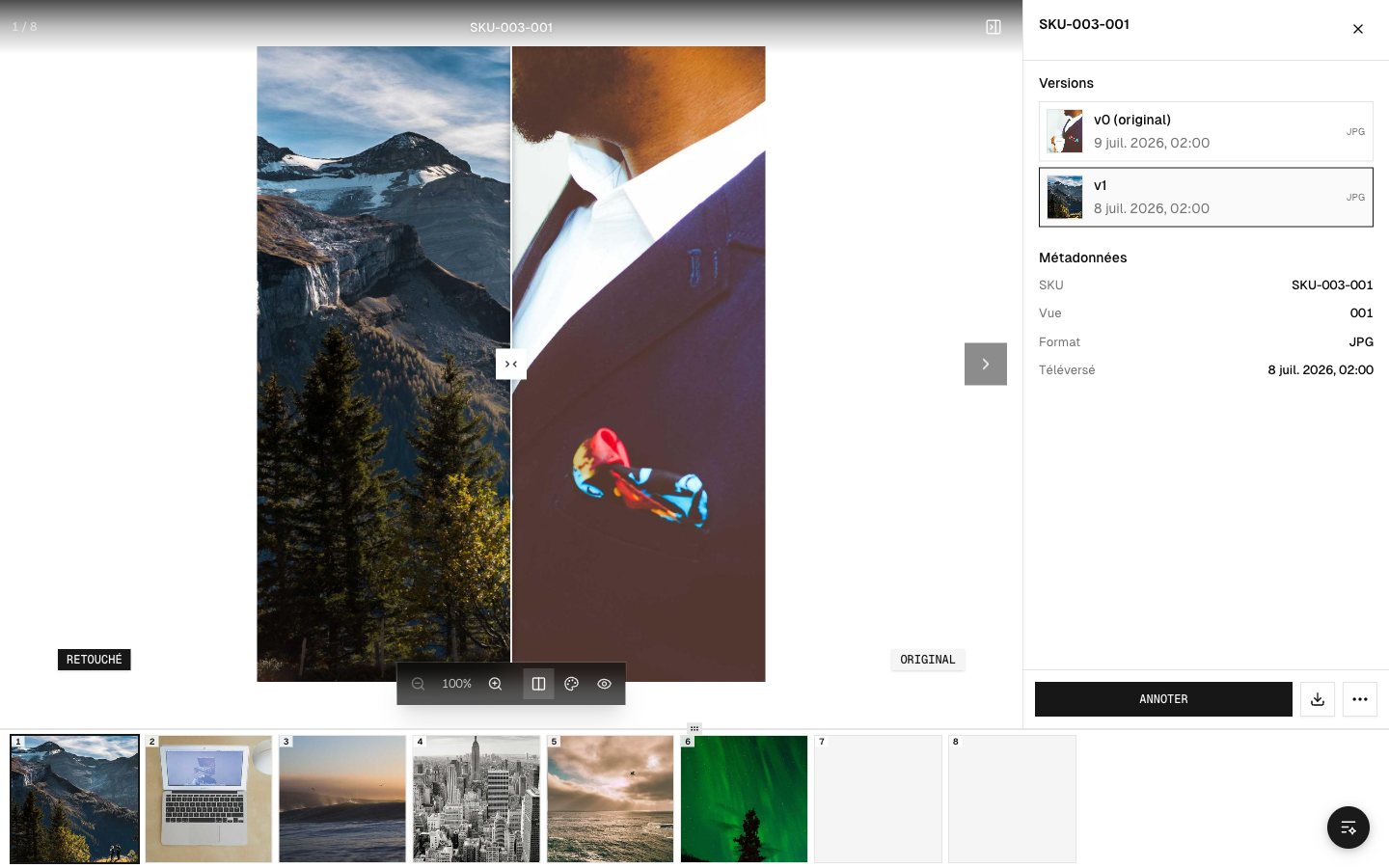 The before / after slider
How to use it
- Open a retouched photo.
- Drag the slider left to right: one side shows the original, the other shows the retouch.
- Release, then start again to compare another area.
What to watch for
- Consistency: does the retouch follow your guidelines (colors, background, product)?
- Details: clean edges, natural shadows, no added flaws.
- Uniformity across the photos in the same series (a consistent look from one image to the next).
Once you've made up your mind, go back to the validation screen to approve or reject the photo (see Approve or reject retouches).