Invoice a session
Draw up a session's invoice from machine times and consumables.
In short: at the end of a session, the invoice editor brings together machine times, staff, and consumables, then generates an etouch invoice (PDF) or a Pennylane draft.
At the end of a session, you can invoice it. The principle is the same as for a project, applied to studio activity.
Open the invoice editor
- Open the session's Billing tab.
- Open the invoice editor.
- Check the billable items: machine times, staff, consumables.
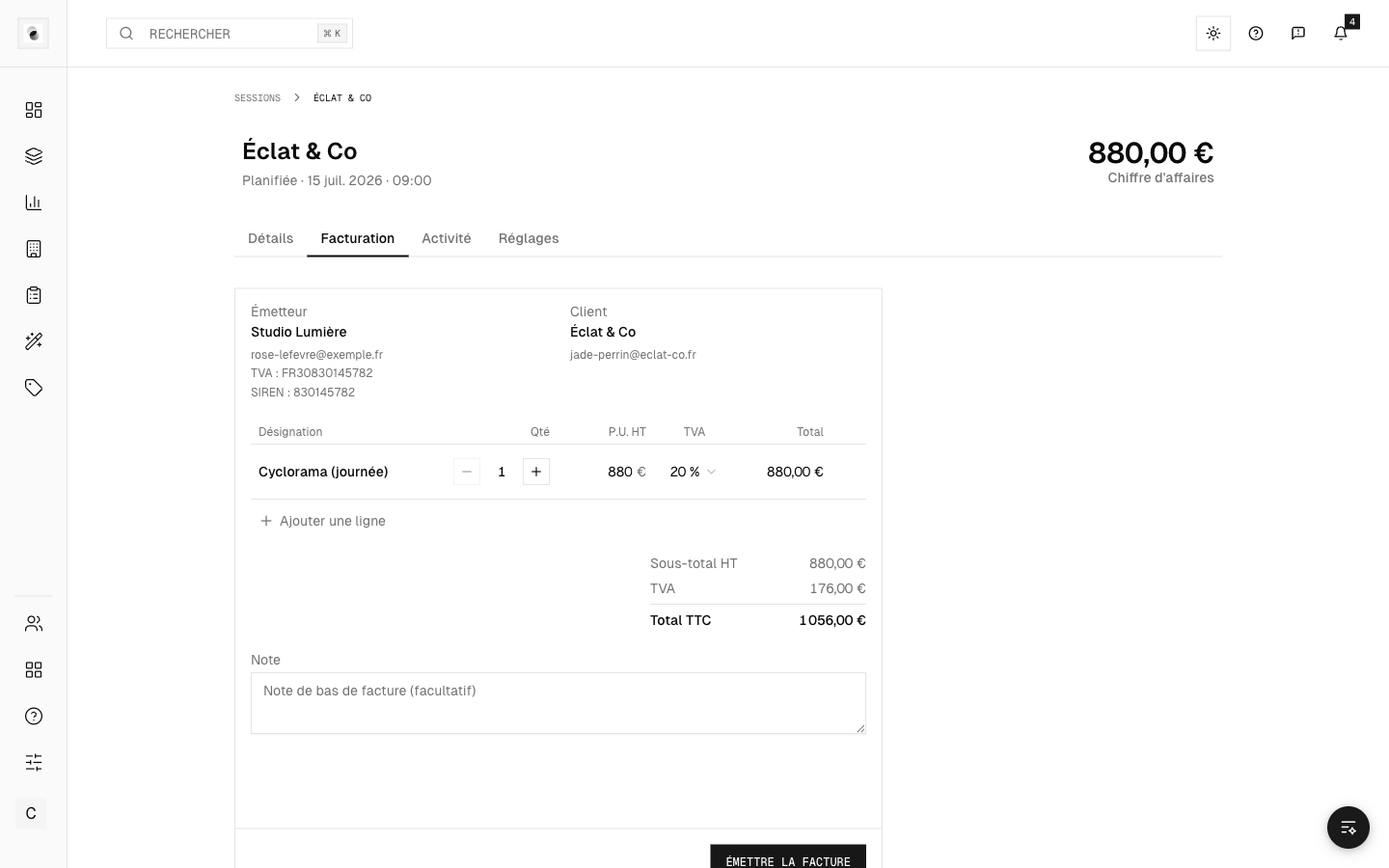 A session's invoice editor
Two issuance options
- etouch invoice — generated and kept in etouch, with a downloadable PDF, according to your studio's numbering.
- Push to Pennylane — for connected studios, creates a draft in Pennylane.
Check before issuing
- The timers are stopped and the times are correct (see Machines and timers).
- The consumables used are entered (see Products and consumables).
- Your billing details are up to date (see Your account settings).
Tracking
Once issued, the invoice shows its status (pending, paid), just like for a project.