Invoice a project
Edit and issue a project's invoice at delivery.
In brief: once the project is done, the editor picks up your pricing to issue an etouch invoice (PDF) or a Pennylane draft, then track payment.
Once the project is Done, you can invoice it. etouch offers a built-in invoice editor, aligned with your pricing.
Open the invoice editor
On the project's Billing tab — or at the moment you close it — open the invoice editor. It automatically picks up the project's pricing lines.
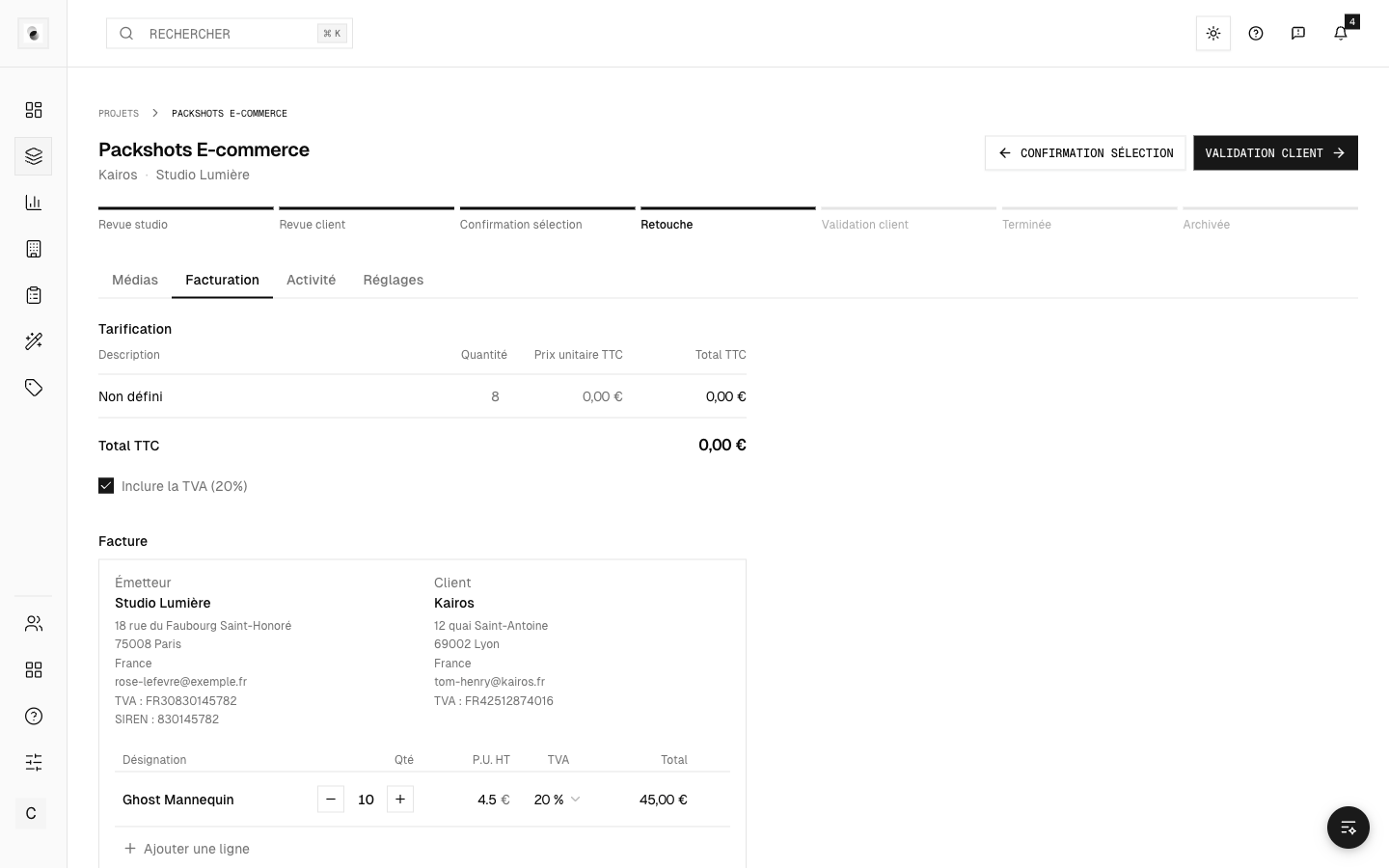 The invoice editor
Two ways to issue it
- etouch invoice — the invoice is generated and kept in etouch, with a downloadable PDF. The numbering follows your studio's own sequence.
- Push to Pennylane — for studios connected to Pennylane, the invoice is created as a draft in Pennylane to be finalized there.
Your billing details
They come from the studio profile and your billing settings. Check them once in Settings so your invoices are complete (see Your account settings).
Payment tracking
Once issued, the invoice shows its status (pending, paid). If online payment is enabled, the client can pay directly and the status updates automatically (see Invoices and payment on the client side).