Integrations (Apps)
Connect etouch to Dropbox, an FTP server, and other tools.
The Apps page gathers the integrations that connect etouch to your other tools. Once installed, they appear in the project flow.
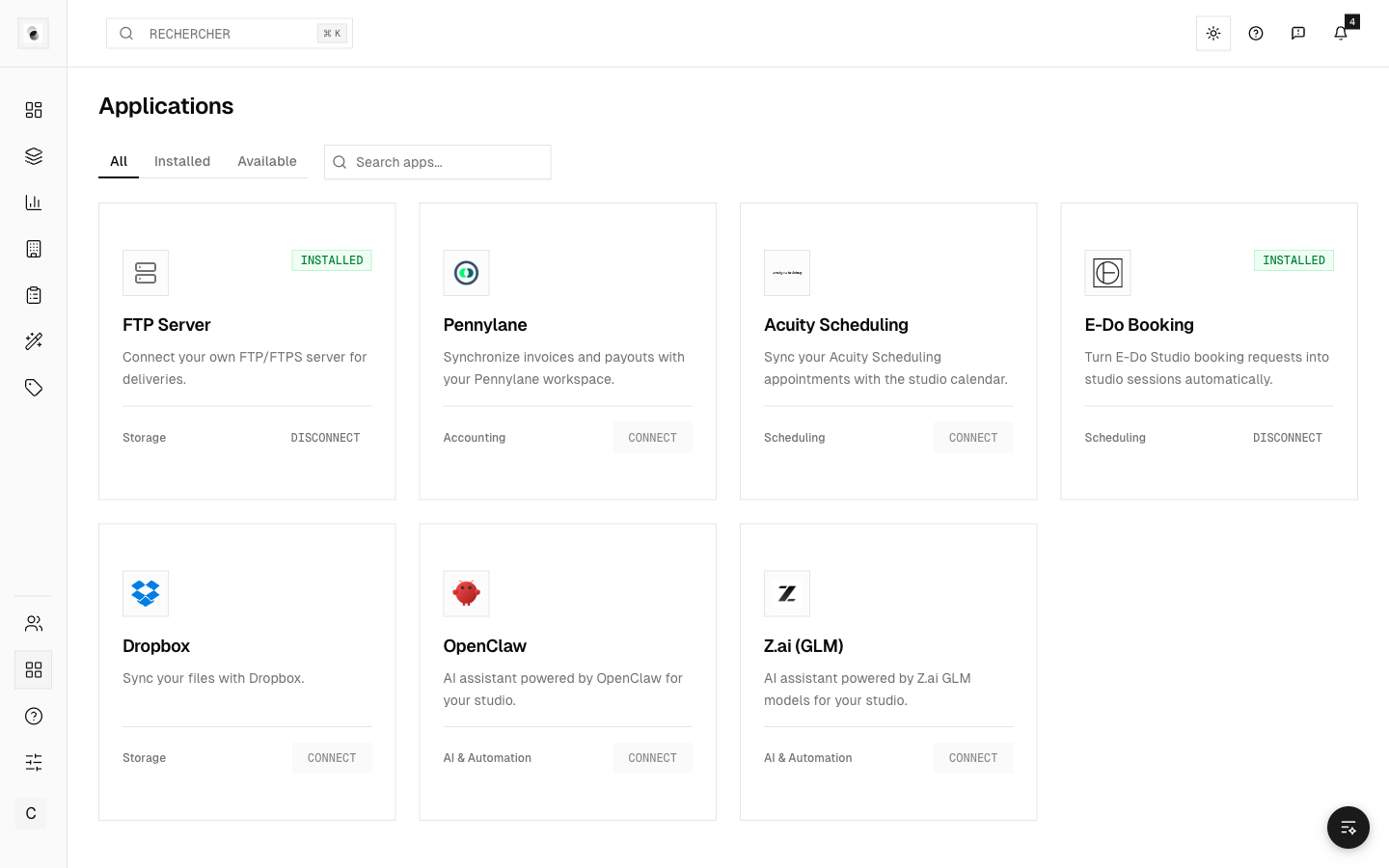 The integrations page
Dropbox
The Dropbox integration lets you import photos from a Dropbox folder, or sync a folder with a project. Once installed, Dropbox import actions appear on projects (see Upload and import media).
To connect it, a studio administrator clicks Connect Dropbox in Apps and authorizes etouch on Dropbox. The connection then renews itself. If Dropbox reports an expired or revoked connection (password changed, app removed on the Dropbox side), click Reconnect Dropbox in Apps: imports work again right away.
FTP
Studios can connect an FTP server to exchange files automatically. A project's FTP sync is configured in its Settings tab (it only appears if an FTP server is set up). Depending on the case, you push files to the FTP or you pull them.
External invoicing (Pennylane)
Studios connected to Pennylane can push their invoices there (project or session) as a draft, rather than generating an etouch invoice (see Invoice a project).
Install or remove an integration
- From the Apps page, enable the integration you want.
- Follow the connection steps.
- Remove it at any time if needed.
Some integrations require technical rights (API keys, server access). If in doubt, reach out to the person who administers your studio.