The media viewer
Zoom, pan and move between photos in full screen.
The viewer is the screen that shows a photo full size. It's the same for every role and focuses on the essentials: seeing the image in detail and moving from one to the next.
Open the viewer
From a project's gallery, click a thumbnail. The photo opens in full screen.
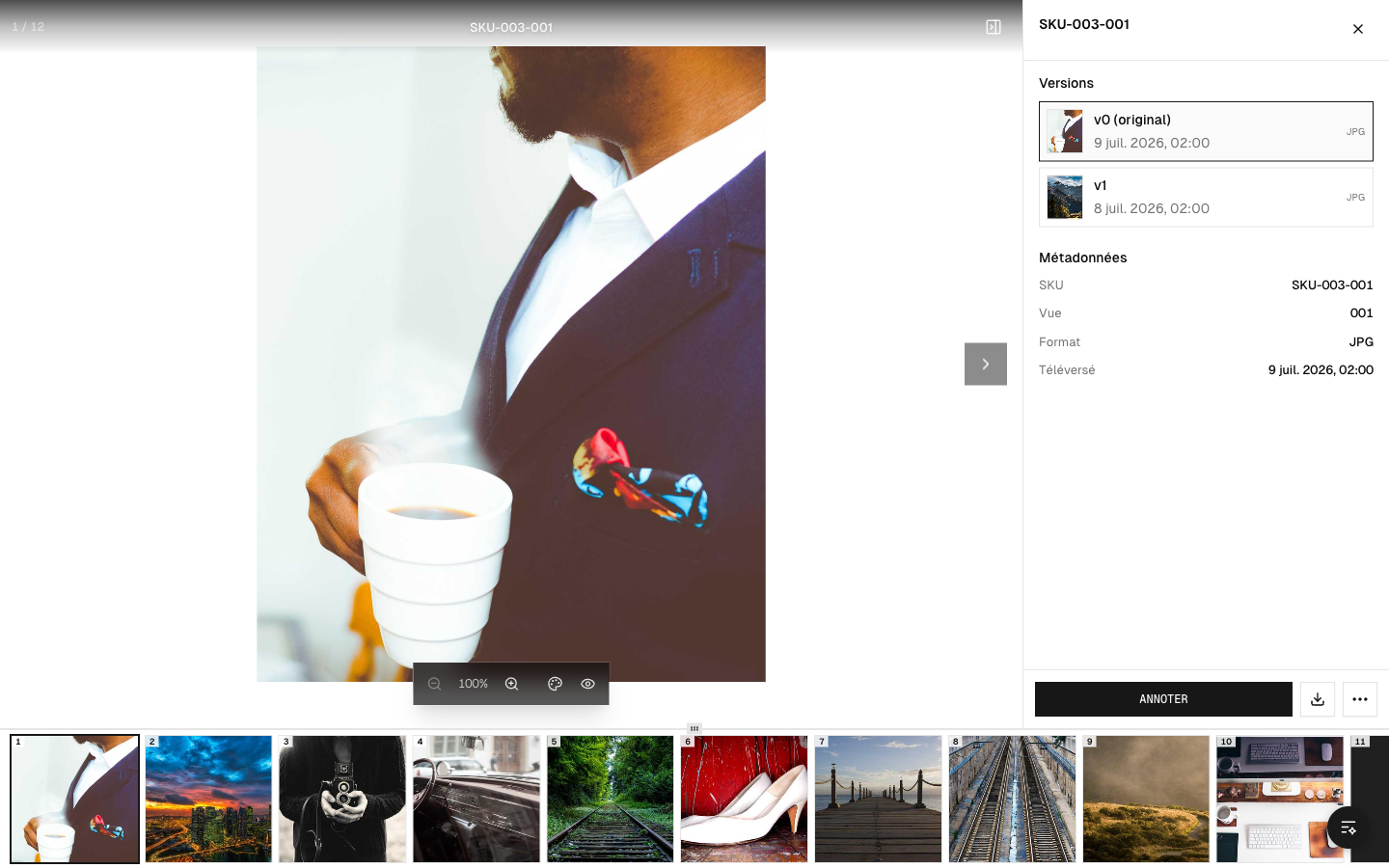 The full-screen viewer
Zoom and pan
- Zoom in / out to inspect a detail (scroll wheel or zoom buttons).
- Pan around the image (drag) when it's zoomed in.
This is essential for judging sharpness, the edges of a cutout or a one-off flaw.
Move between photos
A filmstrip (thumbnails at the bottom or on the side) lets you quickly move from one photo to another without going back to the gallery. The keyboard arrows work too.
The details panel
A side panel shows the photo's information (name, reference, status) and, depending on the context, the comments and annotations (see Annotations in detail).
Grid or list
In the gallery, two views are available:
- Grid — an overview in thumbnails;
- List — one photo per row, with more information.
A toolbar lets you search, filter and refresh the view.